Learn By ALPs

Privacy Policy

Data Privacy and Consent

In accordance with RA 10173 or the Data Privacy Act of 2012, all personal information gathered shall be kept CONFIDENTIAL and will only be accessed by ALPs’ team, trainers, and founders.

Disposal of Data

Data gathered will be deleted after training. You may message us and inquire about the current state of your data, or ask us to delete your data.

Privacy Policy

1. Training Participants

All information submitted and/or obtained at time of registration for training by or on behalf of course participant for training courses and any other source in connection with the provision of training courses.

2. Contract Trainers

Information submitted and/or obtained by a contract trainer on Advanced Learning Programs (ALPs) delivery of training courses and or professional services.

3. Website

Information submitted and/or obtained via website; Information obtained may be: Business Name, Full Name, Email Address, Telephone Number, Address Details
If you wish to access this information please email support@alprograms.com or phone (02) 7-902-0992.

MEET YETTI

Your guide to smarter learning. I’ll help you track
progress, master lessons, and stay motivated.

YOU’RE ALL SET!

Explore courses, follow the modules, watch the videos, and take quizzes to test your knowledge. Keep going, stay curious, and enjoy learning at your own pace!

Group 1260 2

Download Failed

We couldn’t download your certificate. Please try again

Group 1263 2

Download Complete

Your certificate has been successfully downloaded

Group 1270 2

Download Certificate

Choose your download preference below

Group 1232 (1) 1

WELCOME TO LEARN BY ALPS!

Start exploring your courses, track your progress, and level up your skills—one lesson at a time. Let’s get learning!

LET’S GET YOU SET UP!

Start your onboarding to learn how to navigate the LMS and make the most out of your learning experience.

Step 1
Group 1242 (1)

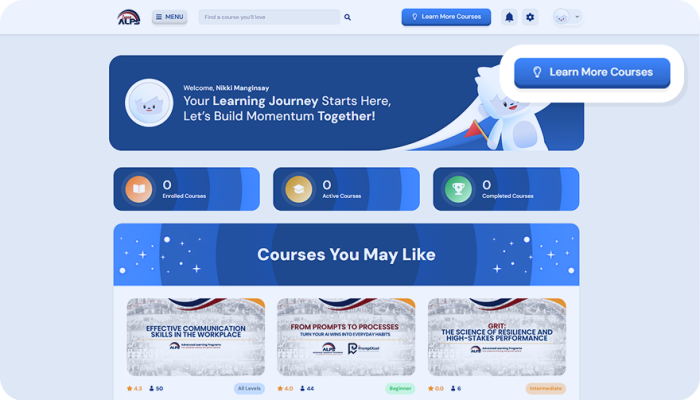
Step 1: Go to Courses Page

On the Dashboard page, click the “Learn More Courses” button in the navigation bar to go to the Courses page and explore available lessons.

Group 1240
Group 1242 (1)

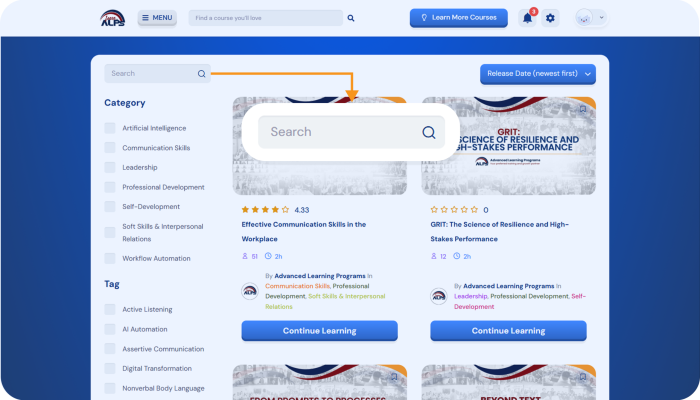
Step 2: Search a Course

On the Courses page, use the search bar to
find a course you’re interested in learning.

Step 3
Group 1242 (1)

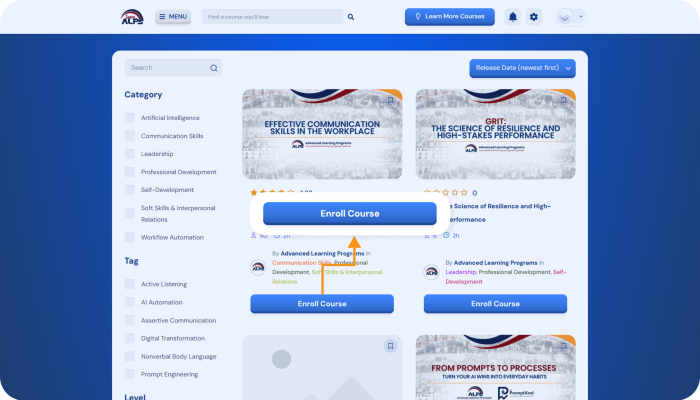
Step 3: Enroll in a Course

To enroll in a course, simply click the
“Enroll Course” button.

Step 4
Group 1242 (1)

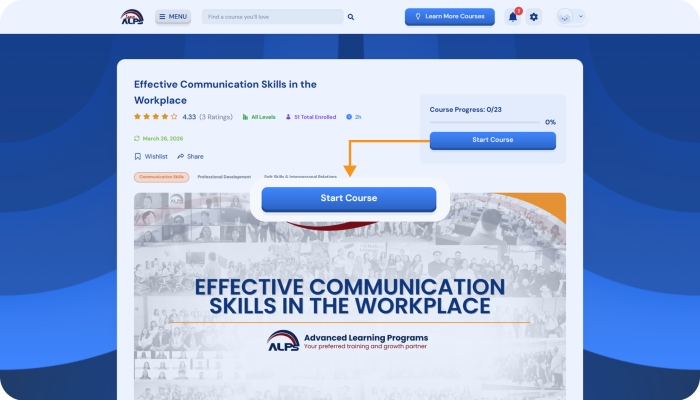
Step 4: Start the Course

Once you are enrolled in a course, you

can immediately start learning the course.

Step 5
Group 1242 (1)

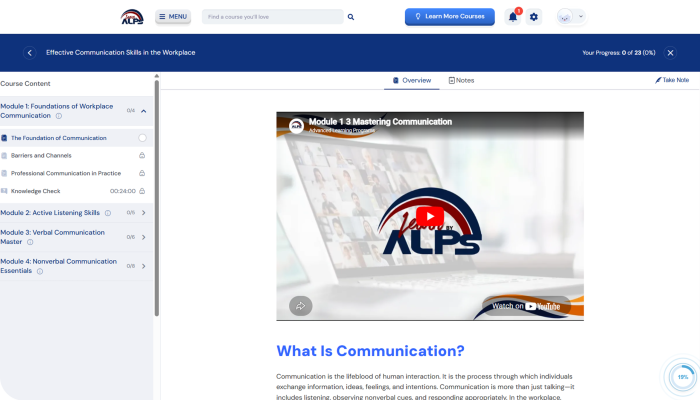
Step 5: Start the Learning

You can now begin the course by reading
the modules and watching the videos.

Step 6
Group 1242 (1)

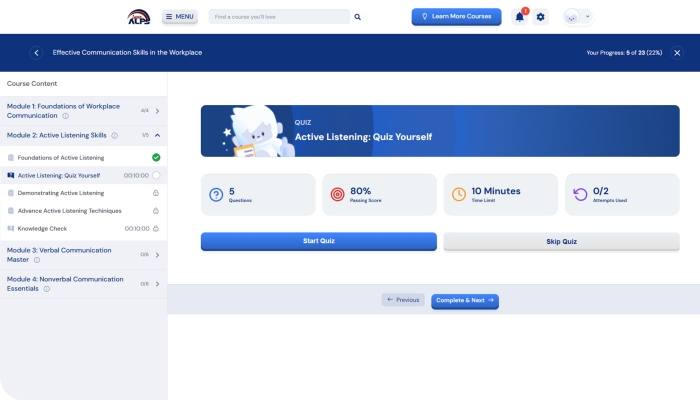
Step 6: Test Your Knowledge

Test your knowledge by taking the quiz in
each module of the course.